Jun 3, 2016 |
You know that old phrase, “When life throws you lemons, make lemonade”?

Lemons
I’m not sure who coined that phrase, but I’m pretty sure he must have been pelted by a few lemons when he said it.
But then he probably made enough lemonade that the throwers decided it wasn’t all bad and they probably drank some of it.
Everything works out in the end, yah?
I’m in between the getting-hit-by-lemons and making-lemonade-out-of-it stages.
Babycakes, my precious MacBook Pro of over eight years, is beginning to fail me. She no longer has the software or capacity needed to do what I need her to do for my social media clients and my writing/editing.
She overheats more than she used to, and it ain’t the California desert that’s doing it to her.
And you thought I wasn’t blogging just because I was too busy. I’m never too busy for you, my Swarm!
But Babycakes, well, I have to be gentle with her. Gone are the days of easy newslettering, fast posts, and faster photos.
And I don’t mind telling you, business has picked up since Blue Ridge. I can’t afford to have my computer slow down.
So after much prayer, and nudges from several people unaware (“You should start a GoFundMe!”), here I am.
I’ve made a list, ran the numbers, and I think I’ve come up with a decent game plan.
My goal is incremental:
- Replace laptop
- Purchase external optical drive
- Purchase office software
- Replace mic/headphones
- Purchase carrying case/backpack
- Purchase protective sleeve/skin
In just four days, I’m nearly 25% funded, which is very exciting. It’s so exciting, in fact, that I want to give something back.
But what to do?
Lo and behold, my Swarm has the answer. What would I use a laptop for? Writing, editing, social media, and photography.
How would you like a sampling of all of the above?
You would? That’s awesome!

NOLA, Chapter One and Other Writings
I just put together a 64-page digital download that includes
- NOLA, Chapter 1
- Four short stories
- Ninja Bee Social Media Tips
- Two poems on Faith
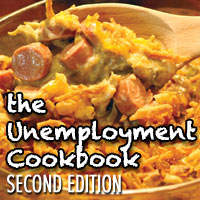
- Three recipes from The Unemployment Cookbook
- A dissection of Jeremiah 29:11, NIV
- A few photos
- My thank you letter
This is a free offering to everyone who donates to my Molly Needs a Mac campaign.
Here’s the kicker. I just spent a good two hours inserting hyperlinks into the document and saving it, only to find my Word software isn’t updated and the links won’t work. There’s no small irony in the fact it’s 2:30 am PST and I’ve been working on the download and this blog post for over six hours. Which just proves my point that I need a new computer as soon as possible.
If you would like to receive your free copy of NOLA, Chapter One and Other Writings, just visit my GoFundMe campaign and make a donation of any amount. Once I receive notice of your donation, I’ll email you the PDF within 24 hours.
And please share this post and the campaign with anyone you think might enjoy a good read.
With warm wishes and cold sweet tea,
~Molly Jo
Jul 5, 2012 |
I’ve written about Pinterest before.
I introduced you to This Thing Called Pinterest. I wrote an open letter about Pinning to Dear Pinners….
I’ve shared with you my own Pinterest account, and updated when I create new boards.
Today I discovered that not all my own Pins were linked accurately. Of course, as a blogger/writer, it’s important that my articles are attached to the Pins I create for them. So I spent about thirty minutes reviewing and correcting. It wasn’t that bad. In fact, it was a little fun seeing Pins from months ago that I’d forgotten about.
I tweeted about today’s revelation, which brought about the conversation “What exactly is Pinterest, and how do you use it?”
The best way to describe it is it’s a digital scrapbook. It’s a spaceless way to store your ideas, suggestions, likes and adventures. If it’s online and you like it, you can Pin it.
It’s easy to get an account. Typically, you need an invitation from a friend or you can request one directly from Pinterest. Once you have an account, you can Pin one of two ways.
You can search Pinterest itself. For example, in their search bar type “coffee” and you’ll be inundated with a mass assortment of flavors, cups, stores, ideas, stories… when you see one you like, move your cursor over it and you’ll see buttons appear: “Repin”, “Like”, “Comment”. You can pick and choose which actions you want. If you choose to “Repin”, a new window will pop up and you can select which of your Boards you want it Pinned to.
The other way to Pin is to download their “Pin It” Button. It’s a small download that you set in your internet toolbar. When you see something online that you like, you click your “Pin It” button, and it asks you which picture to Pin, and to which Board.
Your boards are your categories. Pinterest sets up a few to get you started. You can edit, delete, and add your own. My friend Keri has a board strictly dedicated to all things “Purple”. I have 36 Boards ranging from writing ideas to recipes to people and places and even a bucket list!
There are a few things to remember when Pinning:
- The Pinterest Terms and Privacy are very clear that you cannot Pin any copyright material. Many professional photographers have removed their photos due to this requirement. An alternate option is to include a watermark on your own photos: an unremovable mark that indicates you hold the copyrights.
- I pin my photos to Pinterest because I know they link back to my Blog. And traffic is currency in the Blogosphere. This doesn’t give others the right to claim my work as their own, but it does give you the right to Pin and share and say, “Hey, this is worthwhile stuff.”
- Laura asked if you need to get permission before Pinning. I’ve checked around and the main consensus is, that’s sometimes impossible. In the digital media world in which we live, everything is everywhere. You can’t always track back to the source. You should try, definitely. But if it’s already online, it’s shareable.
- You can’t Pin personal photos from Facebook or your computer. It has to be already online.
- Pinterest has very easy-to-understand Etiquette guidelines. Their Terms are written for every person to understand, not a lot of Legaleeze.
I love the idea of storing ideas online instead of odd-shaped magazine clippings stored in paper boxes. I love that I can put the same Pin on several boards. How often have you had to decide whether a clipping should be placed in “Recipe” or “Holiday”? Is a Dictionary a “Book” or “Writer Wishlist” item? Is a great blog article “inspiring”, “faith-based” or simply “A Good Blog”? With Pinterest, you don’t have to decide. You can Pin the same article to as many Boards as you have.
I also discovered that to get to the main article, you needn’t “backtrack” through other Pinners. Just click on the Pin itself. It will enlarge on your computer screen. Click again on the Pin, and you should be directed to the original posting whether it be from a blog, company, photographer’s page, or wherever it originated. It’s important to make sure that your Pins link back to the source as much as possible. It’s only fair to give credit where credit is due.
So. Are you ready to starting Pinning?
 Just click. Pin. And share.
You’ll be glad you did. (And so will I!)
And Frankly, My Dear… that’s all she wrote!